As requested by @Anurag_Katyal, we now have a Pre-Release version of the DoenetML VS Code extension. It allows you to install a version of the VS Code extension that tracks the dev version of Doenet rather than the latest official release.
(If you don’t know about VS Code, you can ignore this message. This extension is not needed for using the Doenet website.)
To install the Pre-Release extension, click the Extensions icon in the side bar of VS Code, find the DoenetML extension, and click the down arrow at the right of the Install button. Then, you should get an option to install the Pre-Release version.
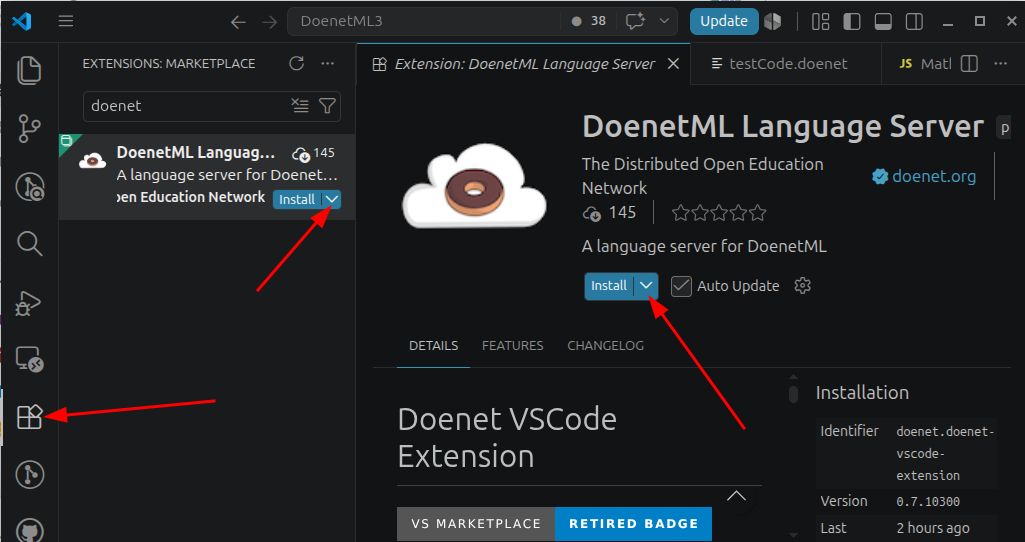
If you already have the extension installed, you should see a “Switch to Pre-Release Version” button.