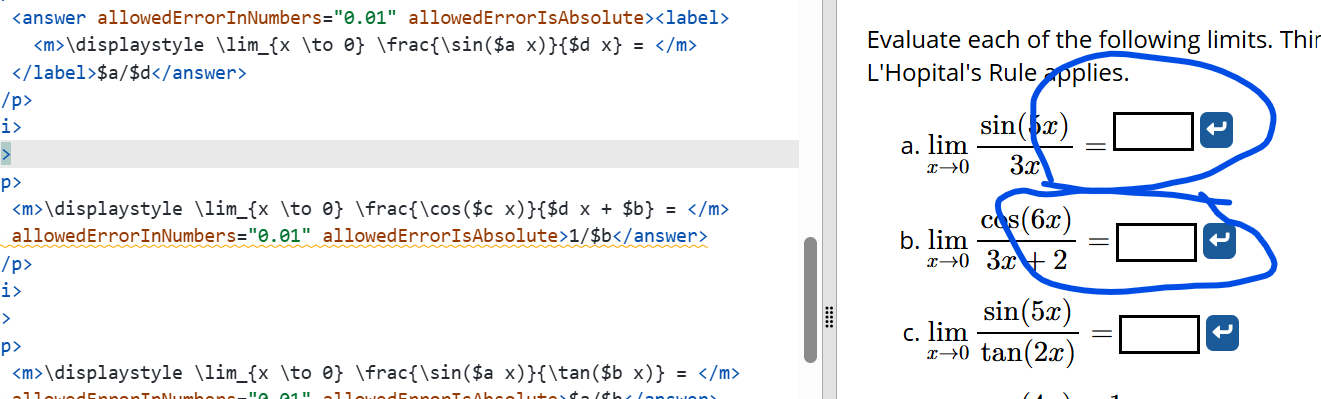
I’ve been trying to use label for accessibility for answer boxes more. I don’t see any visual difference when there’s something like y= before the answer box, or slope of the line isor something similar. The output looks identical, and greater accessibility is good.
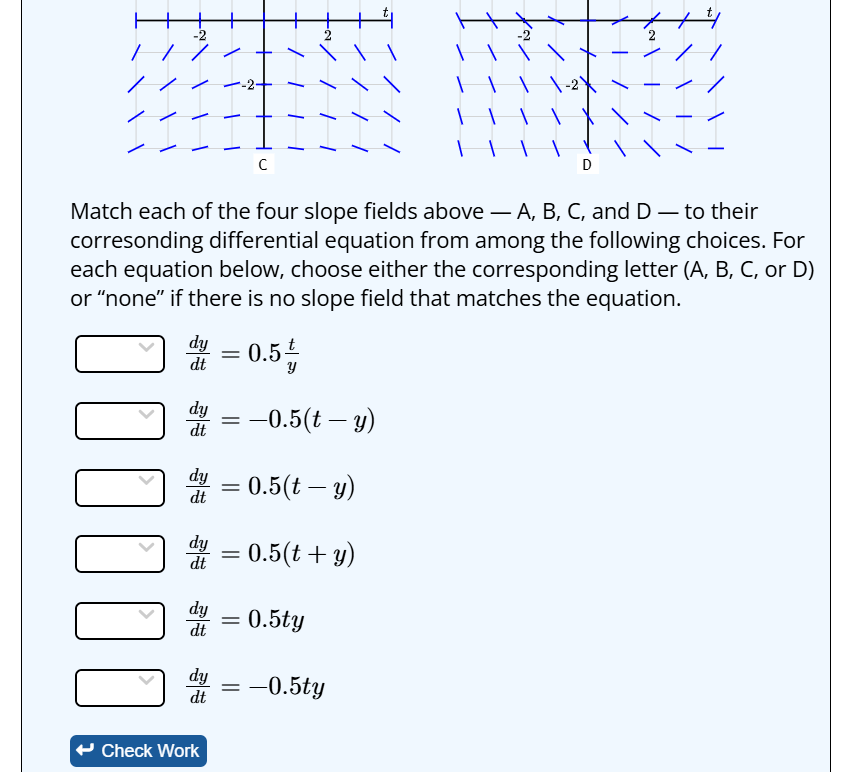
But yesterday I had an exercise where I wanted the answer to come first and the label afterward. It was for my edits of this problem: Exercise 7.2.5.6: Matching slope fields to differential equations I tried using label but it swapped the order of the equation and the answer box, and it looked worse because the diffeqs have all different lengths, but the answer boxes are the same width.
Is there a way to specify whether the label should appear before or after the thing we are labeling for accessibility? I guess I don’t know how a reader using a screenreader would be affected by that.
Chrissy
Currently, for non-graphical items, DoenetML does not support changing the label position, but it shouldn’t be hard to have a left-right option. I’m not sure if it would look exactly like your document because I would imagine we should render a space between the input and the following label. (At least, I think people would expect that.)
For now, your only option for accessibility is to add a redundant short description (though it can’t render math – you have to spell it out in words) as well as the text to the right.
If you think adding a labelPosition attribute to inputs/answers with options of left (default) and right, I could add that to our task list.
Yes, please add labelPosition, if it makes sense for screenreaders to have the label after the box. I agree left is default!
I ended up adding space into the math part using hspace, so rendering a space automatically would have been great. (I also changed to choiceInput), so my version looks like this.
1 Like
I added an issue requesting this feature. I’m thinking I won’t add the attribute to <answer> as there is already a check work button to the right of it.
Not sure what to do about <choiceInput> without the inline attribute. I’m thinking we just ignore the labelPosition attribute in that case.
While we’re discussing label positioning, I was making an edit to fix a problem and thought, okay, since I’m in here I’ll be a good citizen and make these answers use labels. I’m glad I just did one and checked how it looked, because using a label made the vertical alignment look weird, like it’s aligning to top instead of middle. Did I do something wrong?
I can confirm this misalignment for labels in math inputs and other inputs.
I just published a new dev version of DoenetML that includes:
- a
labelPosition attribute for inputs that can be either “left” or “right” with a default of “left” except for <booleanInput>, which has a default of “right”.
- better vertical alignment when a label contains tall math
Could you share this? This is fantastic!
I can share the Doenet part of it, but that’s not super useful without the slope fields; right now I am creating the slope fields separately using PreFigure and including them inside a PreTeXt document immediately followed by the Doenet interactive with the choices.
I know @Duane_Nykamp1 has made lots of progress integrating PreFigure within Doenet… are we able to use a PreFigure slope field within Doenet now?
1 Like
I have not yet added PreFigure slope fields, but it’s on my list!
For now, the best one can do using just Doenet is to store images of the slope fields somewhere on the web and load them into Doenet with <image> tags that link to the image files.
I am using LaTeX and PGFPlots to create my slope fields. I like how you had them organized in your documents.
I’m happy to share anything you want to see: the PreFigure code that generates the slope fields, the PreTeXt file that puts the slope fields above the Doenet, and the Doenet interactive on beta.doenet.org which does the dropdowns.