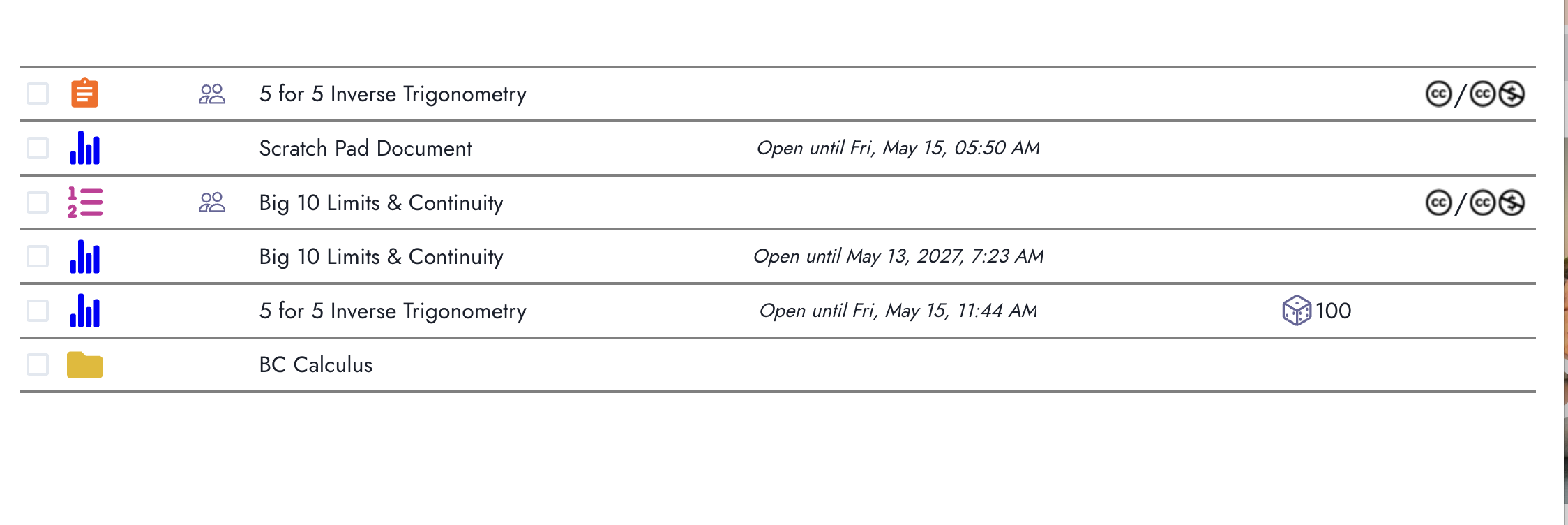
Hi there. The clipboard represents an activity that you’ve created or copied to your ‘My Activities.’ The bar graph represents an assignment that you created from something called scratch pad document. If you had created an assignment for 5 for 5 Inverse Trigonometry, it would have a bar graph icon next to it. Clicking on it would reveal an ‘Invite Students’ button that has a URL you can share with students and a QR code you could display depending on how students access things.The numerical list icon represents a problem set. Imagine having multiple individual activities/problems with a clipboard icon next to them and you wish to throw them all into a single assignment or problem set for students. You can do so by creating a problem set.
This helps alot. I am feeling really overwhelmed with everything. So If I want to create an assignment that I can have my students complete. I would want to create it from scratchpad.
Nick,
Yes, assignments on beta.doenet.org are definitely still rough around the edges. Refining them is on our roadmap for June/July.
In our last virtual workshop, Anurag did talk briefly about how he makes assignments. We have the recordings in this playlist. If you go to the “(05/12/2026) - Randomizing Numbers in Doenet” video, at about 58 minutes in, he gives a brief overview of how to create one from a document.
It takes more steps than maybe it should, but you can create an assignment from a Document.
It’s perfectly normal to feel overwhelmed. Some of the jargon is particular to Doenet but I think authors and adopters have a lot of freedom in how they use activities on Doenet. Despite the rough edges, the sheer number of ways you can accomplish the same thing can be daunting at times. There’s a lot of thought that can go into how you organize content in Doenet. For instance, you can one of Bryan’s 10 for 10s and modify it (with permission) so that each question lives in its own activity. Then you can reuse that one question in a 10 for 10, a homework set, a practice test and an assessment. Alternatively, you can write all 10 questions in a single document as you’ve already done. I’m still learning novel ways in which folks are organizing their content. Take your time with it - the thought exercise is well worth the trouble in the long run.
PS. I know Bryan (and the AP Calculus community) has been quite protective of his questions and answer keys in the past and he has rightfully requested credit to be given to him whenever the problems are shared with students which involves not removing his copyright on the document. This could be accomplished very easily by adding a note at the top of the document indicating original authorship assuming he is ok with it. Additionally, he has tried to hold on to answer keys or at least keep them out of students’ hands to the extent possible. Since the problems in Doenet are static, the answers are hard coded and visible to anyone who views the source. In the off chance you haven’t yet reached out to the copyright holders, I’d suggest checking with them to see if they are ok with their content being shared on Doenet. It’s entirely possible they are enthusiastic about potentially increasing the reach of their problems. I hope this doesn’t come across as anything other than wanting to make sure folks’ rights to their intellectual property are respected.