I was wondering more about answer buttons. I think I’ve observed that if there’s an answer with the input box generated by the answer itself, or if the mathInput or choiceInput is inside the answer tag, then there is a simple arrow button which turns into a checkmark or x and green or red. If there’s an input and then later an answer which awards based on the input, the button instead says “Check Work” and it turns to “Correct” or “Incorrect” and green or red.
Inside of PreTeXt books, there are times when width is at a premium, and I would rather have the smaller answer button because it fits better on one line, but of course I only notice this when I need to check multiple inputs separated by words and/or LaTeX. I can use the submitLabel attribute set to an empty string to simulate the smaller arrow button, which looks fine to start, but then once they’ve checked the answer the button gets wider with “Correct” or “Incorrect” and that makes the button move to the following line. I haven’t yet found an attribute which modifies the “Correct” or “Incorrect” to just give the checkmark or x.
Do I understand the answer button scenarios correctly? Is there a way to get the small button instead of the larger one or to modify the responses given?
The smaller check work buttons were designed to be attached to the right side of an input, where they might be part of inline text and so should be unobtrusive. The larger check work buttons that you get from an isolated answer were designed stand alone on their own line, though they do work inline as well.
We did add an attribute forceFullCheckworkButton to force a little check work button to be large. We haven’t gotten a request to make a large check work button small, so there is no corresponding attribute for that action (yet).
The words “Correct” and “Incorrect”, etc., are hard-coded; we don’t have any attributes (yet) to override those words.
You can approximate what you want by putting one input inside the answer. The result is assymmetric, where pressing Enter only in the second blank submits the answer.
<mathInput name="m1" forAnswer="$ans" />
and
<answer name="ans">
  <mathInput name="m2" />
  <award><when>$m1+$m2=5</when></award>
</answer>
That’s the best I can think of for the current DoenetML. If you have some time before you need it, you can request additional attributes.
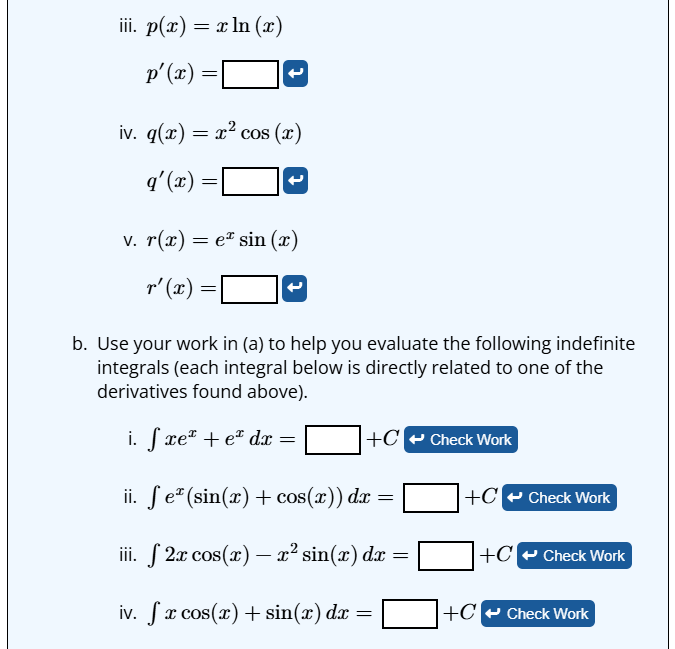
Okay, count this as such a request, haha.  These aren’t necessarily the best ones, but here are some pictures of problems in AC where I think the small button would be better. In this first one, everything fits okay before they start typing but not always after they type formulas, and your workaround wouldn’t work because I think the button should come after the +C, which is part of the answer in actuality even if we supply it for them.
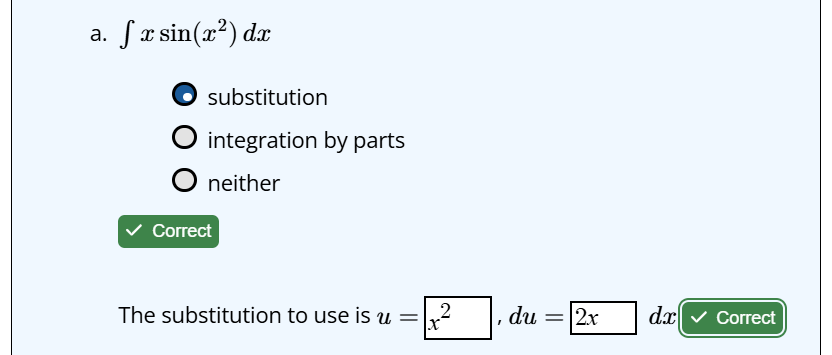
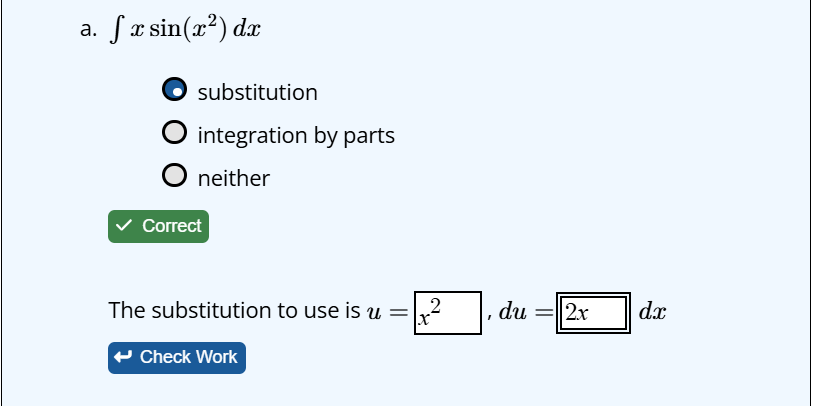
In this second set of two pictures, you can see how the button moves due to length of the words. Once again, the “dx” is really part of the answer, and I wouldn’t want the answer button to come before the dx.
Request received. I’ll post on the Discussion section to get additional feedback.
You’re right. My workaround won’t work here.
If the main concern is avoiding dynamic wrapping, an alternative is to just put the Check Work buttons on the following line. You could use a <br/> tag (which is probably frowned on in the PreTeXt world) or use <p>s.