I’ve had students report a couple of weird things that I either can’t reproduce reliably or can’t isolate a cause for. I haven’t reported them thus far because I haven’t been able to nail down any specifics and that’s not very useful, but I wanted you to have the info anyway.
With some fairly complicated derivative problems involving multiple derivative rules together, some students hit the check button and doenet was taking several seconds, or even a minute or more, to return either correct or incorrect. But not all students and not on every problem.
Secondly, with some of these complicated derivatives, including some implicit differentiation, I’m also getting some students marked incorrect when what they type looks correct to me (and them). At least two or three times now for different students and different problems, if I just erase everything they had and type it back in for them, then what I typed in their problem will be marked correct. I assume that the way my students are using parentheses or not, inserting an explicit times or not, hitting space or not, means that their answer is actually sneakily wrong, but it’s hard to identify from the mathquill rendered answer box. Having some sort of “Preview what I’ve entered” option, even if only when their answer is incorrect, or if an author could opt in to show that as an automatic feedback, would be useful in these cases (and also to identify misplaced parentheses).
Interestingly, one student told me ChatGPT was somewhat helpful in identifying what the difference was between a student’s answer they thought was correct and what ChatGPT said the correct answer was. It couldn’t tell them what caused the mistake (they hadn’t distributed a minus sign through the product rule and had instead only applied it to the first term), but it did identify the missed negative sign in one term as the error.
Chrissy
I wonder if those two problems are related. Maybe the long derivatives calculation times are due to some anomaly in how they are entered…
I added an issue requesting a preview for math responses. I’m not yet sure how that should look or how to implement it, so I don’t have any ETA of when that could land!
We could also use a clean-up on derivative code that I hope would speed up those calculations. That hasn’t yet made it into any list of priorities, but it could be bumped into that if it ends up being a problem.
I didn’t know whether to put this here or on the other thread about previews. I decided here since it’s mostly not about the placement of the preview, and at least right now, I’m getting the answer checking (or lack thereof) behavior I described.
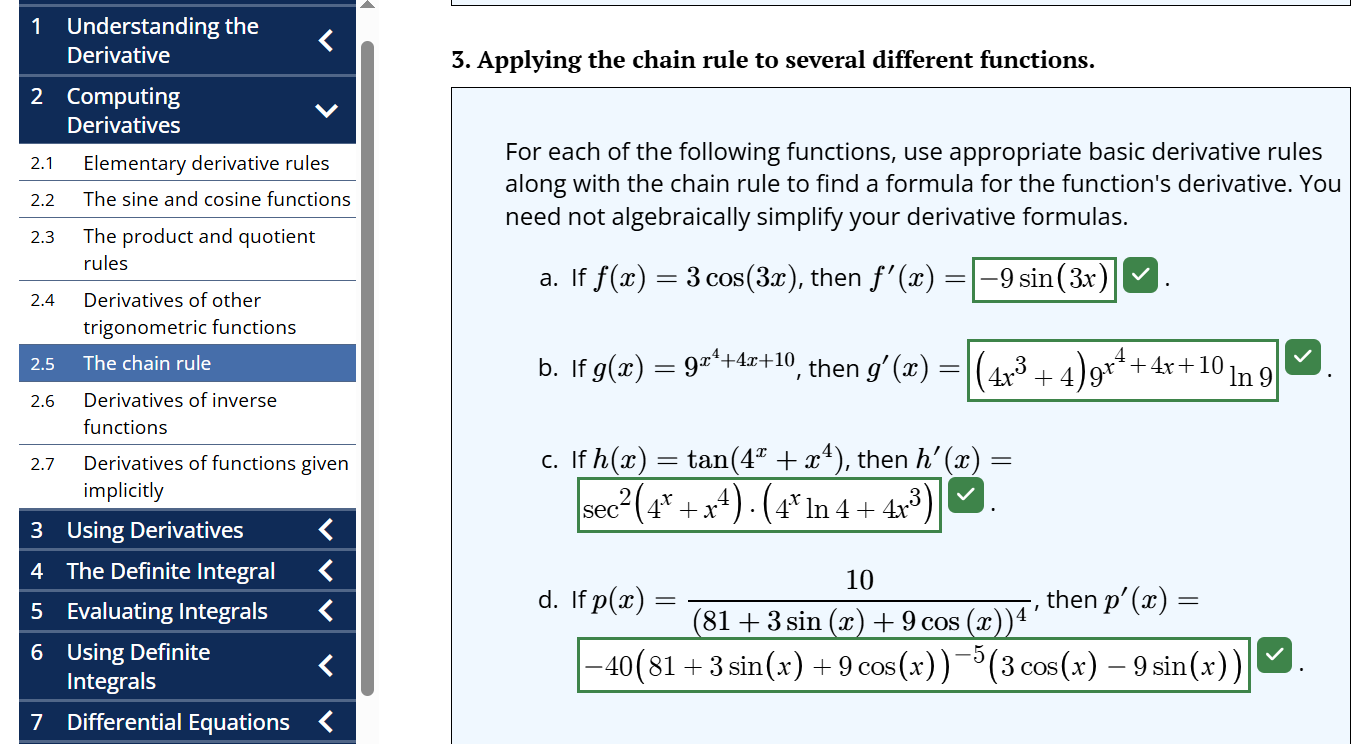
I tried enabling the new preview on part d of one of the problems my students were having some trouble with (part d of the linked problem), and I’m still having trouble. Even when I enter the answer Doenet says it’s expecting, it’s taking a really long time to check the answer. I’m also not sure the Preview is updating when I change what I’ve entered, but maybe that’s related to it still trying to check the answer the last time I hit check work? Do you see these same things happening??
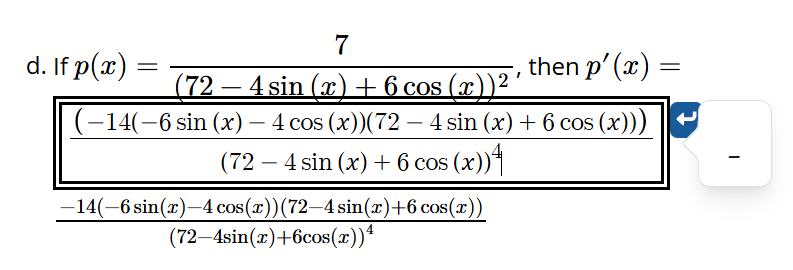
I think the way I got the lack of preview below to show was copying and pasting from the correct answer and then trying to fix it because it didn’t paste correctly. Maybe that’s a clue as to what makes this happen for students? What I’ve entered looks good to me, but the preview says “-”.
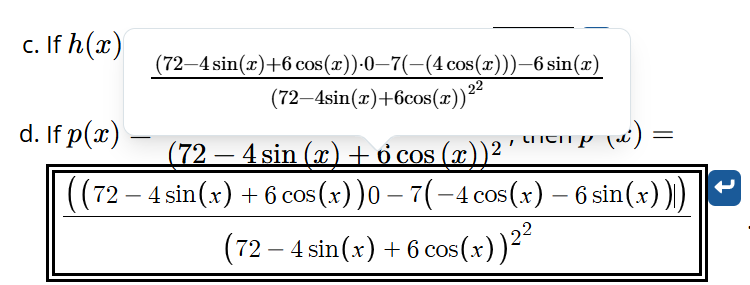
The one below, I tried entering some things I saw students do to see what the Preview showed, and then tried to change it, but the preview didn’t change. Specifically, getting parentheses wrong in the second half of the numerator. I also did the derivative wrong, but I can’t get Doenet to say that it’s wrong (or I just run out of patience first).
But the problem worked for me when I was testing the problems before my students did them when I did it the way I would think to do it!
Sorry for the delay. Community discussions went down shortly after you posted, and then I forgot about this question when we got it back up!
The preview is definitely doing (at least some of) what we want here. It’s making it clear that Doenet cannot read that input. Unfortunately, it’s not giving us much of a clue of what went wrong.
My guess is the problem is due to the fact that students are copying and pasting, as I can’t get the parsing to fail like these examples when typing into the math input. More than likely, there some unicode characters in there that are breaking the parser. I have a lot of substitution rules programmed to prevent this from happening, but there must be more cases that I’m missing.
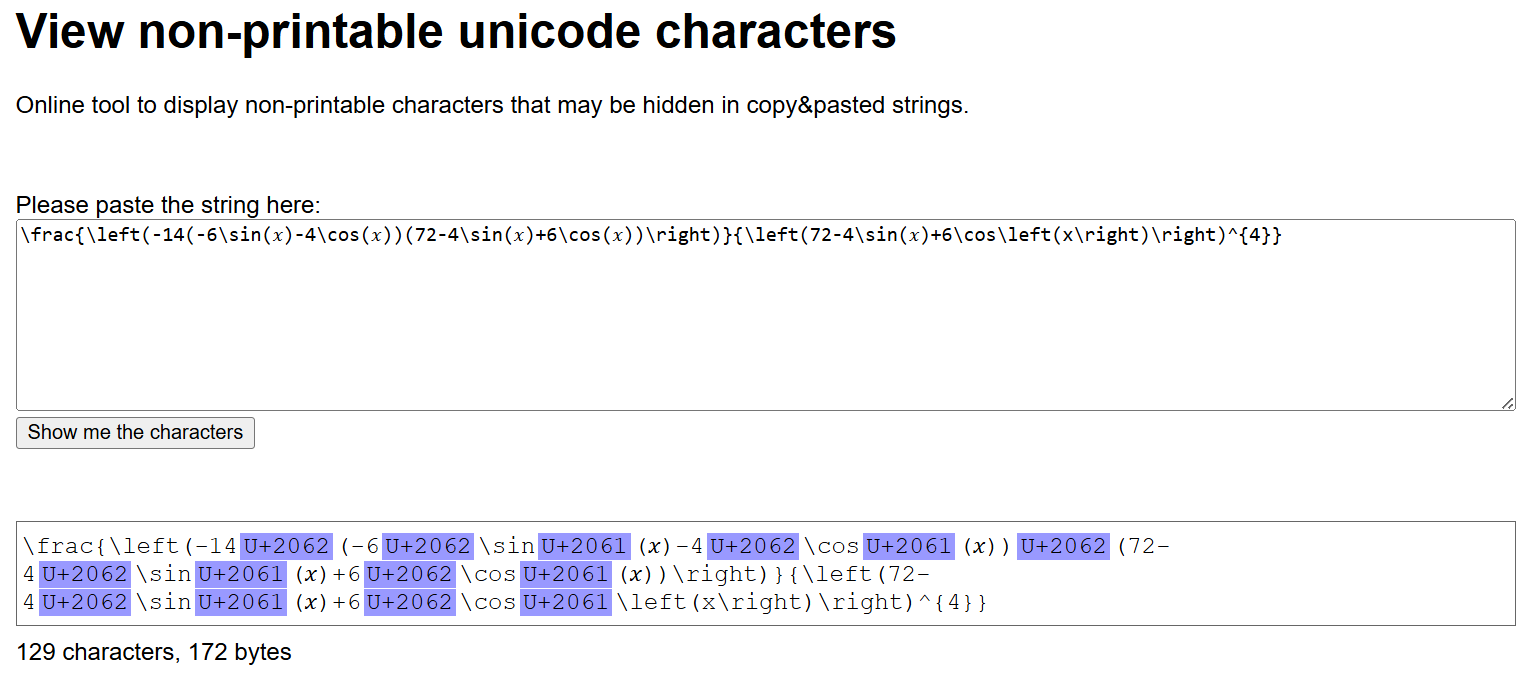
If you have an example where someone is pasting into the math input and getting the long underscore preview showing an error, could you do the following? In addition to the screenshots from Doenet, also paste the text into a tool that will reveal the unicode content, like View non-printable unicode characters, and show the screen shot from that as well.
If I can figure out what is causing these parse failures, I bet I can find a way to sanitize them so that they work fine. In my mind, one of the worst student experiences is to have an answer that appears on the screen to be correct but then it validated as incorrect.
Copy-pasting from the correct answer appears to give the correct preview when I right-click and select copy the latex. But it still takes a really long time to check the answer to part d. Here’s the problem again if you want to try to trouble-shoot that: Doenet
However, if I just highlight the correct answer shown there and ctrl c, ctrl v and then make it appear to look right, gives this:
As I said in the other thread, I may consider this a feature rather than a bug; students should not normally be copy-pasting expressions. I have seen them sometimes do calculations in desmos and copy-paste numerical answers, but those won’t be expressions. I just didn’t know to ask them before if they had typed the answer themselves or copy-pasted it in. But since me retyping things made it work, I now suspect that’s what happened on those ones.
Those are the Invisible Times characters and the Function Application character, both of which are completely invisible but used to disambiguate logically between two mathematical meanings of juxtaposition.
I’ll just filter those out of the mathquill input before parsing.
Yes, you could argue it is a feature that students can’t copy and paste answers. But, the fact that it is confusing and one cannot tell that those characters are there means it could be a miserable and frustrating experience for students.
We have a have a mode for answers where it will not let you paste into them! 
I released a new dev version of DoenetML that removes these unicode characters from the math inputs before parsing them as latex. I hope that reduces confusion for students.
I released a new dev version of DoenetML that fixes the slow answer checking, at least for the default numerical checker.
The fix does not address the underlying slowness of the simplify and expand routines. The answer checking will go back to its extremely slow form if you add symbolicEquality as well as simplifyOnCompare or expandOnCompare.